Product Review: Best Home Office Upgrades for Fall Productivity
As the leaves start changing and we settle back into our autumn routines, there’s no better time to evaluate your workspace. If you’re like most men over 40, your home office upgrades for fall productivity can make or break your professional success and personal well-being. Whether you’re working from home full-time, managing a side hustle, or simply need a better space to handle life’s demands, the right fall home office improvements don’t have to break the bank.
“The way to get started is to quit talking and begin doing.”
– Walt Disney
In this comprehensive review, we’ll walk you through the best home office upgrades for fall productivity that actually deliver results. From budget-friendly solutions to investment pieces that pay for themselves, these recommendations are designed for real guys dealing with real challenges – not tech enthusiasts with unlimited budgets.
Disclosure
This article contains affiliate links. If you choose to make a purchase through these links, we may earn a commission at no additional cost to you.
Why Fall is the Perfect Time for Home Office Upgrades
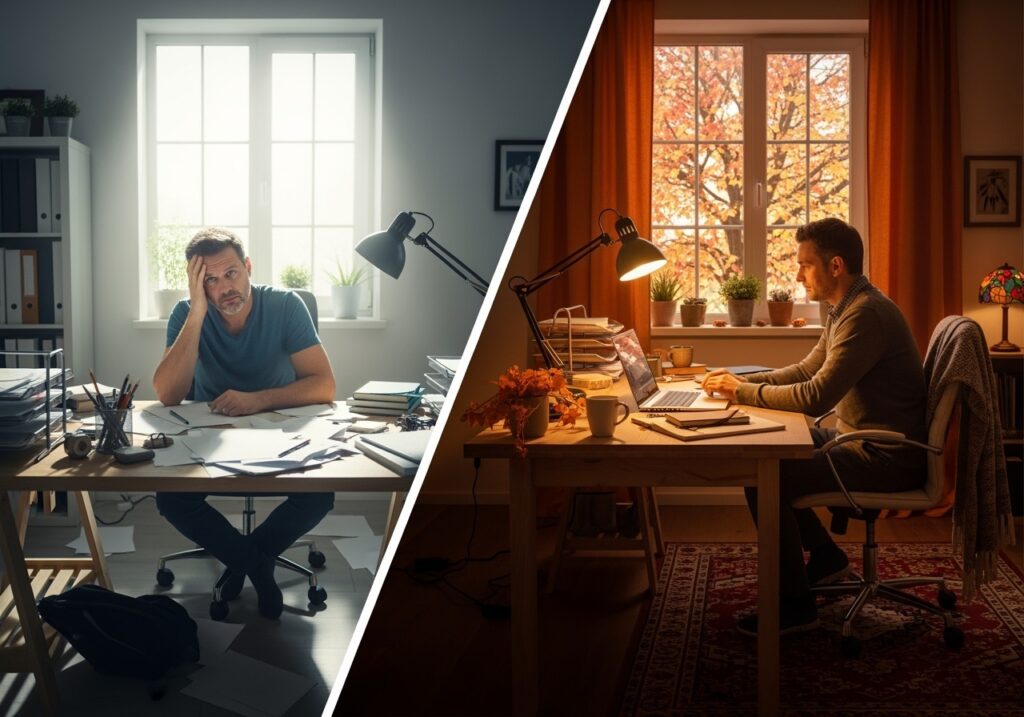
Seasonal home office changes aren’t just about aesthetics – they’re about adapting your workspace to support your goals during the most productive months of the year. As we transition from summer’s distractions to autumn’s focus, your environment should work with you, not against you.
The psychology is simple: when your workspace feels organized, comfortable, and purposeful, your mind follows suit. This connects directly to what we discussed in The Triangle of Well-being: How Health, Mind, and Money Connect – your physical environment impacts your mental state, which ultimately affects your financial success.
Essential Categories for Fall Workspace Upgrades
1. Lighting Solutions: Combat Shorter Days
As daylight hours shrink, proper lighting becomes crucial for maintaining energy and focus. Poor lighting leads to eye strain, fatigue, and decreased productivity – problems that compound throughout the fall and winter months.

Budget-Friendly Option ($25-50): LED Desk Lamp offers adjustable brightness and color temperature. Think of color temperature like the difference between a cozy restaurant (warm light) and a hospital (cool light). For productivity, you want cooler light during work hours.

Mid-Range Investment ($75-150): The BenQ ScreenBar Monitor Light clips onto your computer monitor and eliminates screen glare while providing even workspace illumination. It’s like having professional studio lighting for your desk.

Premium Choice ($200+): The Philips Hue Go Portable Light allows you to customize lighting throughout the day. Set it to energizing blue-white in the morning, natural white during work hours, and warm amber in the evening to support your natural rhythm.
Note: Prices and availability may vary. Always check current Amazon pricing and read recent reviews before purchasing.
2. Ergonomic Furniture: Your Body’s Best Investment
If you’re spending 6-8 hours at your desk, ergonomic improvements aren’t luxury items – they’re health necessities. Poor posture leads to back pain, neck strain, and reduced energy levels that affect every aspect of your life.
Chair Upgrades:

Budget Option ($100-200): GABRYLLY Ergonomic Office Chair provides solid lumbar support without the premium price. Lumbar support means the chair supports the natural curve of your lower back, preventing the slouching that leads to pain.

Investment Piece ($300-500): The Steelcase Series 1 offers professional-grade ergonomics at a more accessible price point than their premium models. Think of it as buying quality shoes – you’ll use it daily, so the cost per use is actually quite low.
Note: Prices and availability may vary. Always check current Amazon pricing and read recent reviews before purchasing.
Standing Desk Solutions:

Affordable Converter ($150-250): The VIVO Standing Desk Converter transforms any existing desk into a sit-stand workstation. You simply place it on top of your current desk and adjust the height as needed throughout the day.

Full Desk Investment ($400-800): The UPLIFT V2 Standing Desk provides smooth electric height adjustment and can accommodate multiple monitors. Standing for even 2-3 hours per day can improve energy levels and reduce back strain.
Note: Prices and availability may vary. Always check current Amazon pricing and read recent reviews before purchasing.
3. Technology and Productivity Tools
Fall workspace essentials should simplify your work, not complicate it. These tech upgrades focus on solving common productivity problems without requiring a computer science degree.
Monitor Upgrades:

Single Large Monitor ($200-400): The LG 27-Inch 4K Monitor provides the screen real estate of two smaller monitors in one clean setup. 4K simply means higher resolution – everything appears sharper and you can fit more information on screen without squinting.

Dual Monitor Setup ($300-600): Two ASUS 24-Inch Monitors allow you to have email open on one screen while working on documents on the other. It’s like having a larger desk – you can spread out your work instead of constantly switching between windows.
Note: Prices and availability may vary. Always check current Amazon pricing and read recent reviews before purchasing.
Audio Solutions:

Noise-Canceling Headphones ($150-300): The Sony WH-CH720N blocks distracting background noise, creating a focused work environment even in busy households. Active noise canceling uses technology to literally cancel out consistent background sounds like air conditioners or traffic.

Webcam and Microphone: The Logitech C920s Webcam and Blue Yeti Nano Microphone ensure you look and sound professional on video calls. Clear communication builds credibility, which directly impacts your career and business opportunities.
Note: Prices and availability may vary. Always check current Amazon pricing and read recent reviews before purchasing.
4. Organization and Storage Solutions
A cluttered workspace creates mental clutter. These office upgrades for better focus help maintain the organized environment that supports clear thinking.
Desktop Organization:
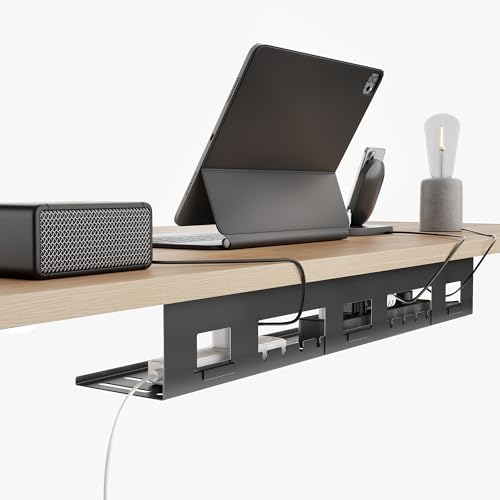
Cable Management ($20-50): Under Desk Cable Management Tray mounts under your desk and keeps all cables organized and out of sight. Think of it as a hidden highway for all your cords – everything stays connected but doesn’t create visual chaos.

Desk Organizers ($30-75): The Bamboo Desktop Organizer Set provides dedicated spaces for pens, papers, and small items. Having a designated spot for everything reduces the mental energy spent searching for items.
Note: Prices and availability may vary. Always check current Amazon pricing and read recent reviews before purchasing.
File Storage:

Digital Filing ($50-100): The SanDisk 1TB External SSD provides fast, reliable backup for all your important documents. SSD (Solid State Drive) means it has no moving parts, making it faster and more reliable than traditional hard drives.
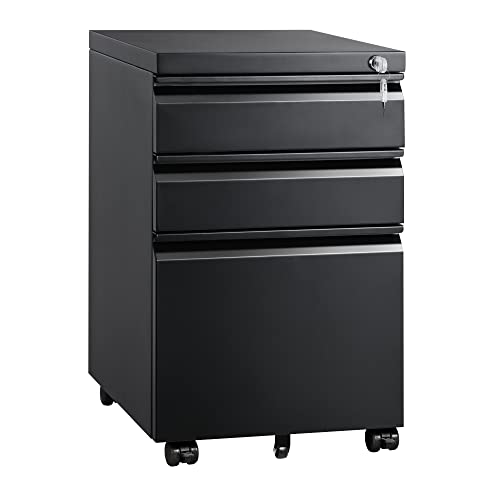
Physical Filing ($75-150): The DEVAISE 3-Drawer File Cabinet keeps important papers organized and easily accessible. Even in our digital age, tax documents, contracts, and other important papers need secure, organized storage.
Note: Prices and availability may vary. Always check current Amazon pricing and read recent reviews before purchasing.
5. Comfort and Wellness Additions
Productive workspace setup isn’t just about work efficiency – it’s about creating an environment that supports your overall well-being during longer fall and winter work sessions.
Air Quality:

Air Purifier ($100-200): The Levoit Core 300 Air Purifier removes dust, allergens, and odors from your workspace. Clean air improves focus and reduces fatigue – it’s like the difference between working in a stuffy room versus outdoors on a clear day.

Plants ($25-100): The Snake Plant or Pothos require minimal care while improving air quality and adding natural elements to your space. Studies show that having plants in your workspace can reduce stress and improve concentration.
Note: Prices and availability may vary. Always check current Amazon pricing and read recent reviews before purchasing.
Temperature Control:

Space Heater ($200-500): The Dyson Hot+Cool Personal Heater provides precise temperature control without drying out the air. Maintaining comfortable temperature (around 70-72°F) helps maintain focus and prevents the drowsiness that comes with being too warm or the distraction of being too cold.
Note: Prices and availability may vary. Always check current Amazon pricing and read recent reviews before purchasing.
Comfort Items:

Footrest ($30-75): The Everlasting Comfort Foot Rest improves circulation and reduces leg fatigue during long work sessions. Proper leg positioning supports better posture and reduces the strain on your lower back.

Lumbar Support Cushion ($25-50): The Everlasting Comfort Lumbar Support can upgrade any chair’s back support. It’s like adding professional ergonomics to furniture you already own.
Note: Prices and availability may vary. Always check current Amazon pricing and read recent reviews before purchasing.
Budget-Conscious Implementation Strategy
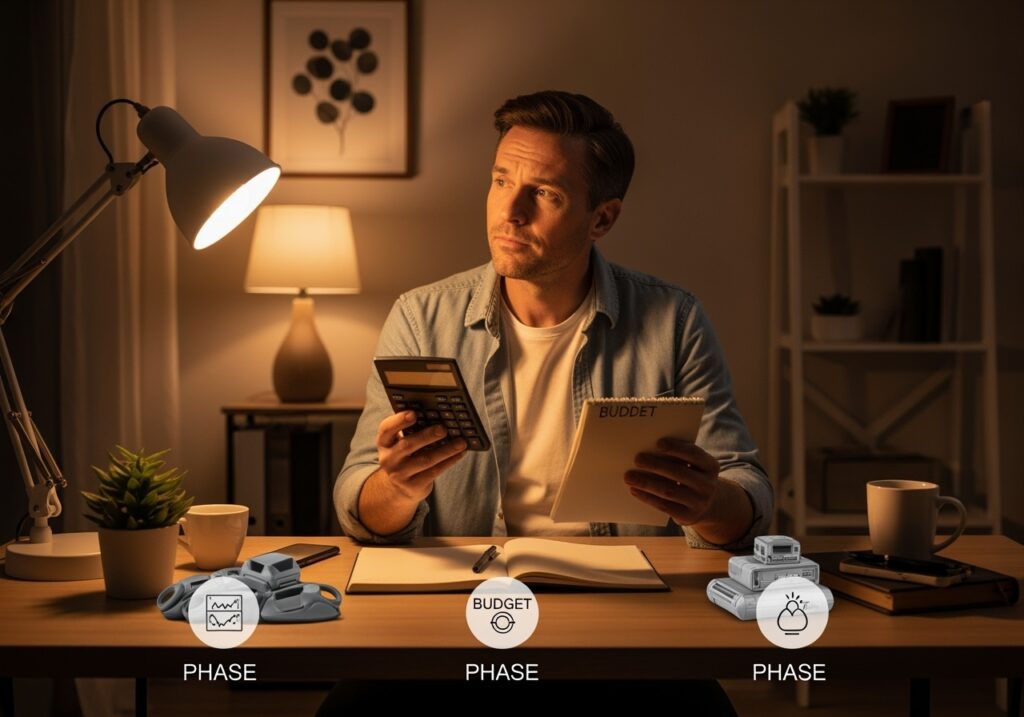
Not everyone can upgrade everything at once, and that’s perfectly fine. Here’s how to prioritize your home office productivity tools based on budget and impact:
Phase 1: Immediate Impact ($100-300)
- Proper lighting (desk lamp)
- Cable management
- Basic desk organizer
- Lumbar support cushion
Phase 2: Comfort Improvements ($300-600)
- Ergonomic chair or standing desk converter
- Monitor upgrade
- Air purifier
- Quality headphones
Phase 3: Long-term Investments ($600+)
- Full standing desk
- Dual monitor setup
- Premium ergonomic chair
- Complete storage system
Remember, these are investments in your productivity and health. Calculate the cost over the years you’ll use each item – a $400 chair used daily for 5 years costs less than 25 cents per day.
Measuring Your Upgrade Success
How do you know if your autumn workspace upgrades are working?
Track these simple metrics:
Energy Levels: Do you feel more alert during afternoon work sessions? Focus Duration: Can you work for longer periods without distraction? Physical Comfort: Are you experiencing less back, neck, or eye strain? Work Quality: Are you completing tasks more efficiently? Mood: Do you actually enjoy spending time in your workspace?
These aren’t complex analytics – they’re simple observations that tell you whether your upgrades are supporting your goals.
Seasonal Maintenance Tips
Your fall home office improvements need ongoing attention to maintain their effectiveness:
Weekly: Clean your monitor, organize your desk, and adjust your lighting as daylight hours change.
Monthly: Check your chair adjustments, clean air purifier filters, and assess what’s working and what isn’t.
Seasonally: Deep clean your entire workspace, update your organization system, and plan for the next season’s needs.
Common Mistakes to Avoid
Mistake 1
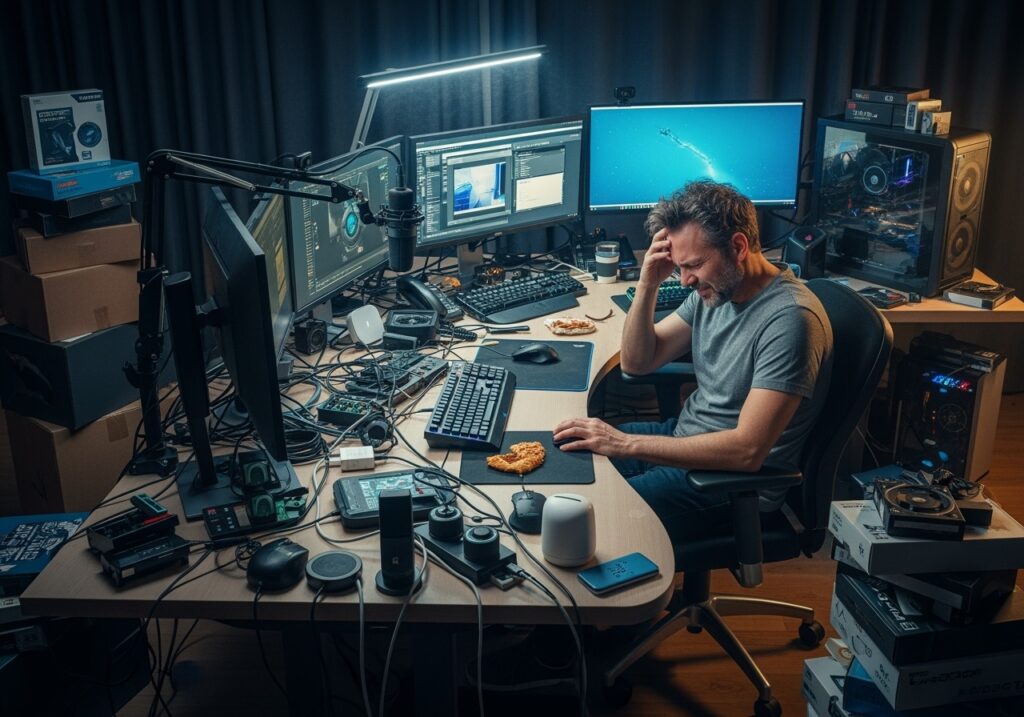
Over-complicating the setup
The Solution: Start simple and add complexity only when needed. Ignoring your specific needs: A day trader needs different tools than a consultant.
Mistake 2
Buying everything at once
The Solution: Gradual implementation allows you to assess what actually works for your situation.
Mistake 3
Focusing only on aesthetics
The Solution: Pretty doesn’t always mean productive.
Mistake 4
Neglecting maintenance
The Solution: Even the best equipment needs care to perform optimally.
The Bottom Line
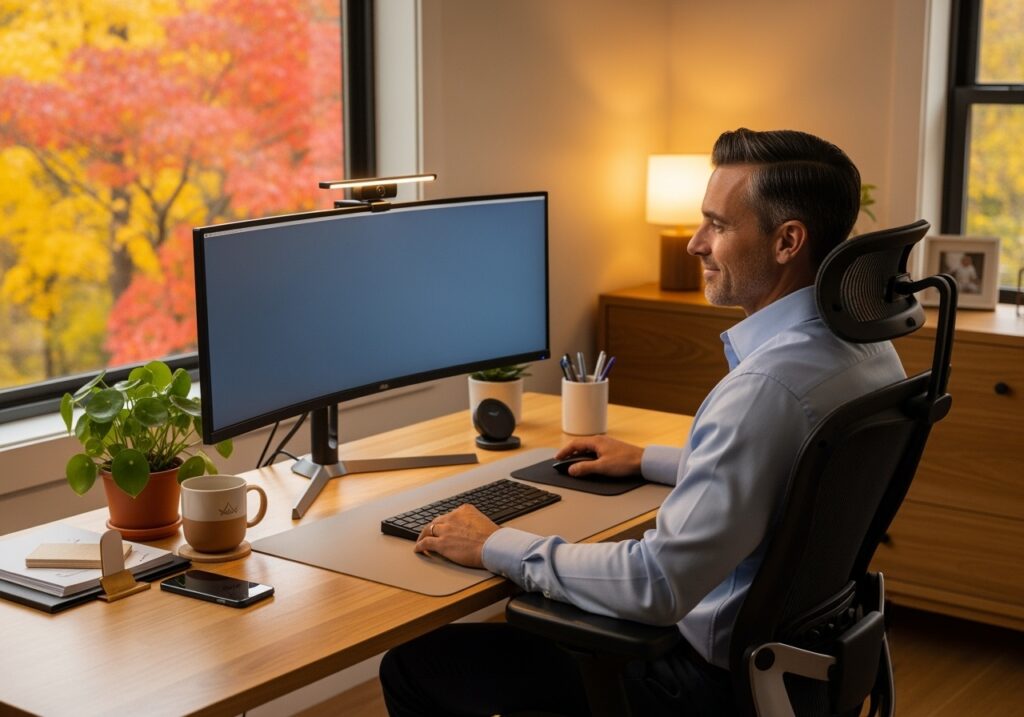
The best home office upgrades for fall productivity are the ones you’ll actually use consistently. Whether you invest $100 or $1,000, focus on solutions that address your specific challenges and support your work style.
“Success is the sum of small efforts repeated day in and day out.”
– Robert Collier
Your workspace should energize you, not drain you. It should support your goals, not create obstacles. As we discussed in The Power of Progressive Mindset, small, consistent improvements compound over time to create significant results.
Start with one or two upgrades that address your biggest pain points. Build from there. Your future self – and your productivity levels – will thank you.
Ready to transform your workspace? Start with proper lighting and organization – these foundational changes will immediately improve your daily work experience. Remember, you don’t need to implement everything at once. Choose what fits your budget and situation, then build your ideal productive workspace setup over time.
The best time to plant a tree was 20 years ago. The second-best time is now.
Disclosure
This article contains affiliate links. If you choose to make a purchase through these links, we may earn a commission at no additional cost to you.
Important note: The information provided in this post is for educational and informational purposes only. While we’ve spent over a decade studying health, wellness, and financial strategies, we are not a licensed healthcare provider, mental health professional, or financial advisor. Everyone’s situation is unique, so what works for one person might not work for another. For physical health matters, always consult your doctor before starting any new fitness program. For mental health concerns, please seek qualified mental health professionals. For financial decisions, consult with certified financial advisors who can assess your specific situation. The content here reflects personal research and experience but shouldn’t replace professional advice in any of these areas. By reading and using this information, you’re taking responsibility for your own decisions. Your health, mind, and money deserve professional guidance when needed. Stay awesome!